A checklist for every show
Every show starts with the questions a tour manager asks every time:
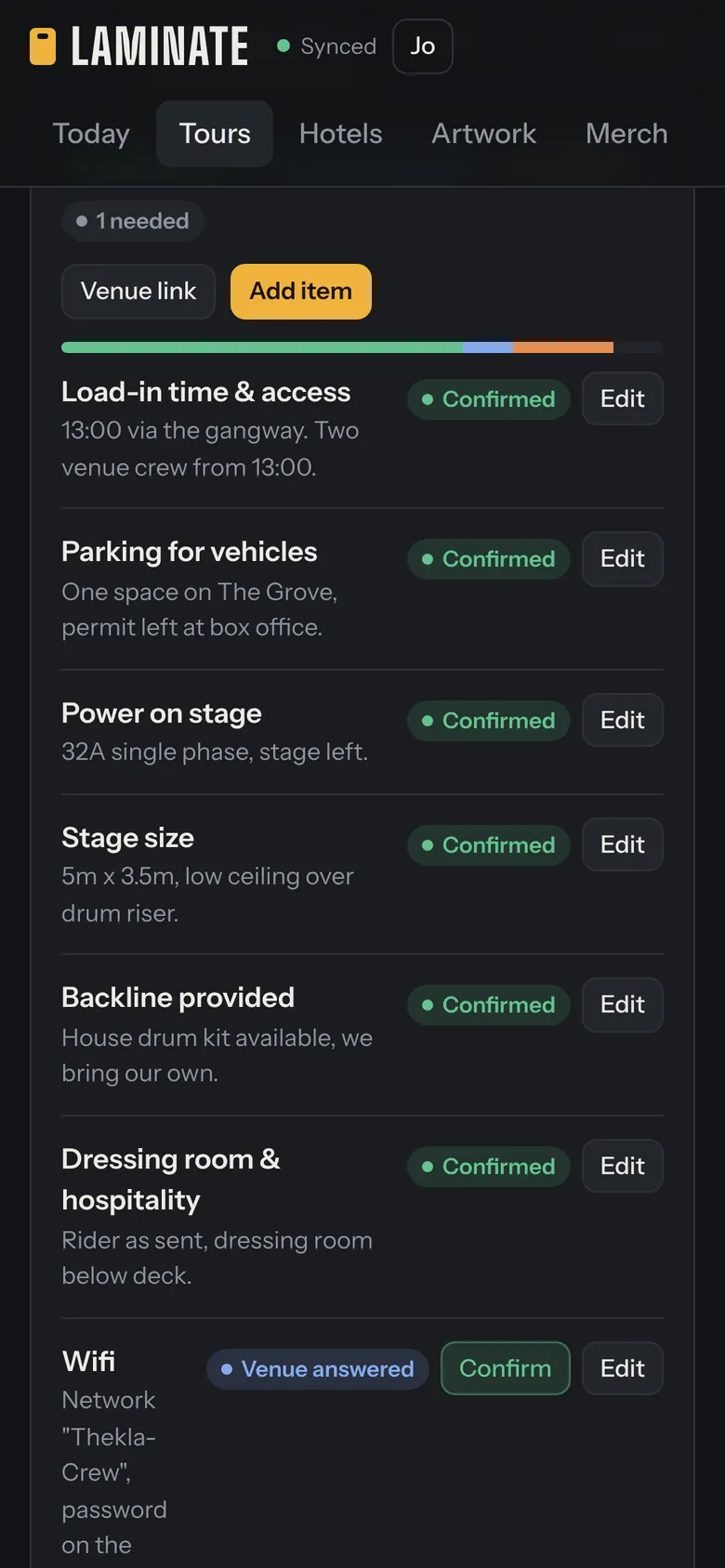
- Load-in time and access, parking for vehicles, power on stage and stage size
- Backline provided, dressing room and hospitality, and wifi
- Merch split and who sells, curfew, and settlement: who and when
- The day-of production contact and the guest list pickup point
Add your own, remove what doesn’t apply, and mark which ones the venue should answer. A progress bar shows how many are confirmed, how many the venue has answered and how many are still open.
One private link per show
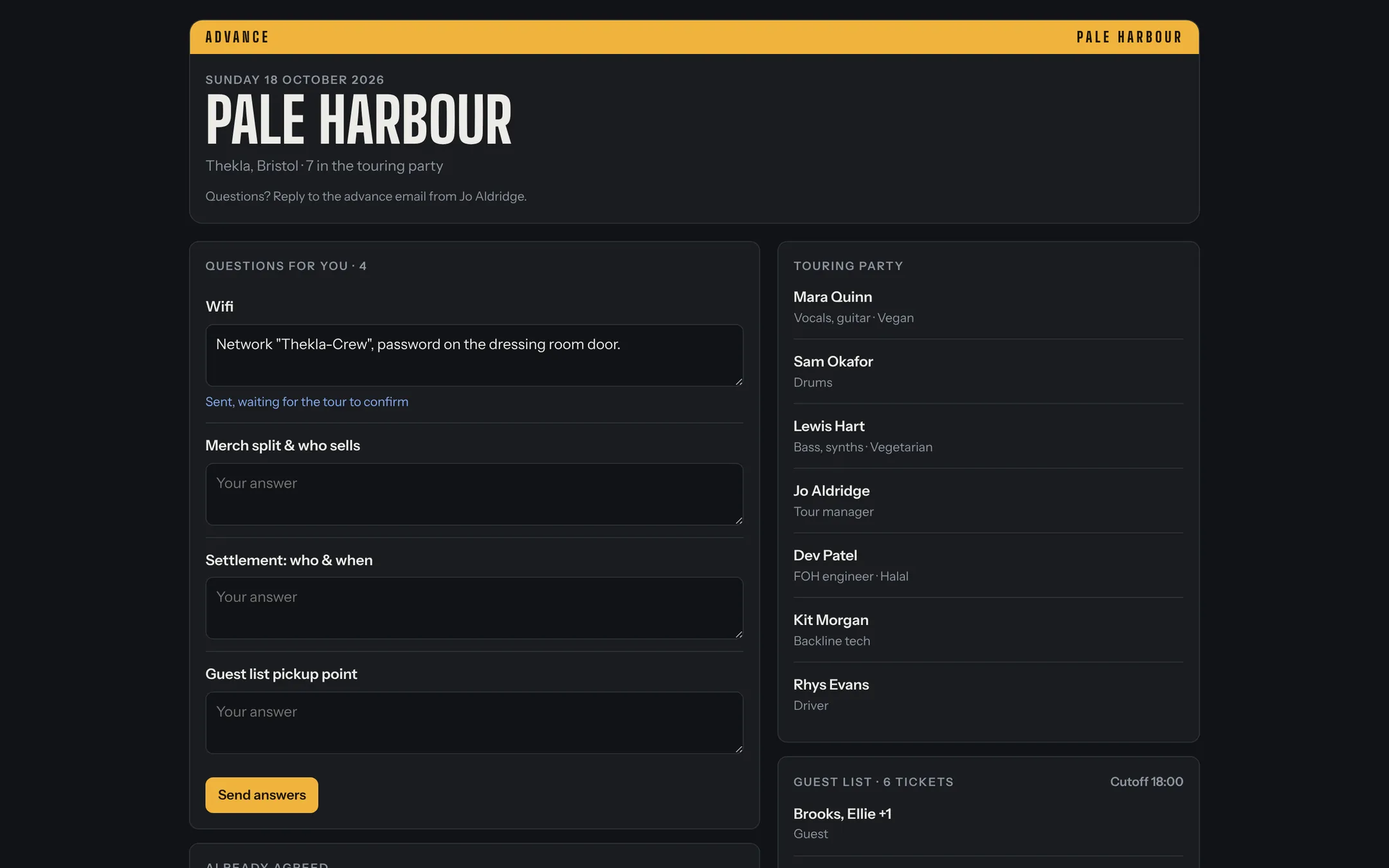
Instead of an email thread, send the venue its link. It shows that show only: the schedule, the touring party with dietary needs, the approved guest list, riders and stage plots, and any artwork or press shots you’ve chosen to share. Phone numbers only appear if you switch them on.
The venue answers the advance questions on the same page. Their answers arrive in your checklist marked “Venue answered”, and you confirm each one. Nothing for the venue to sign up for, and nothing to install.
Riders, stage plots and the press kit, sent once
Upload the technical rider, hospitality rider and stage plot as a PDF or Word file, or type them out. Add posters, press shots, logos and bios to the tour’s artwork. Every venue link picks them up, so you’re not attaching the same files to twenty emails.
Links that stop working
Choose whether a link stops working the day after the show, a week after, or never. You can turn a link off straight away, or make a new one if it was sent to the wrong person.
A few habits that make advancing easier
- Send links three to four weeks out, and chase what’s still open a week before.
- Confirm answers as they come in, so the band sees the real load-in time, not the guess.
- Keep the settlement and merch split questions on every show, even when you think you know the answer.