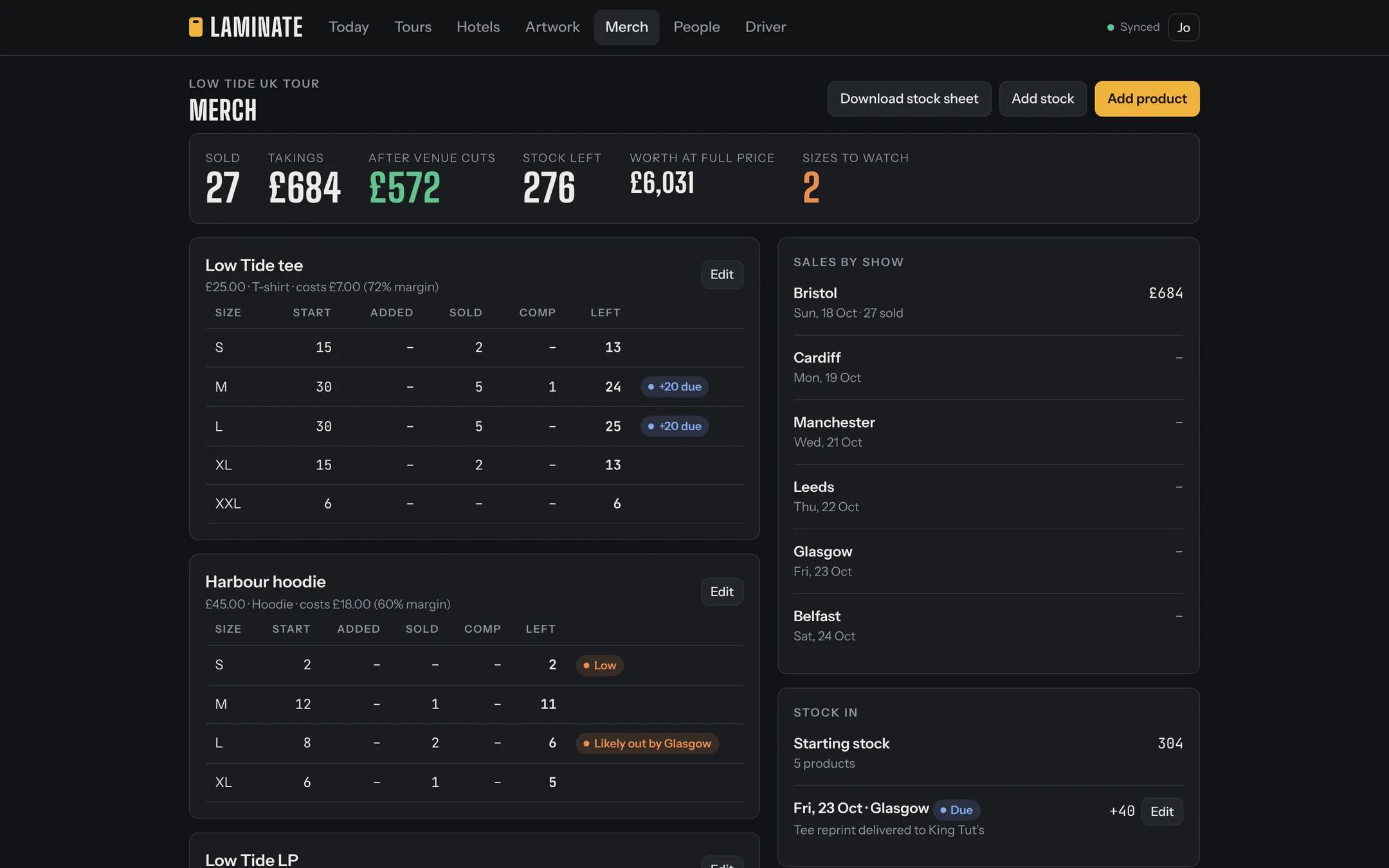
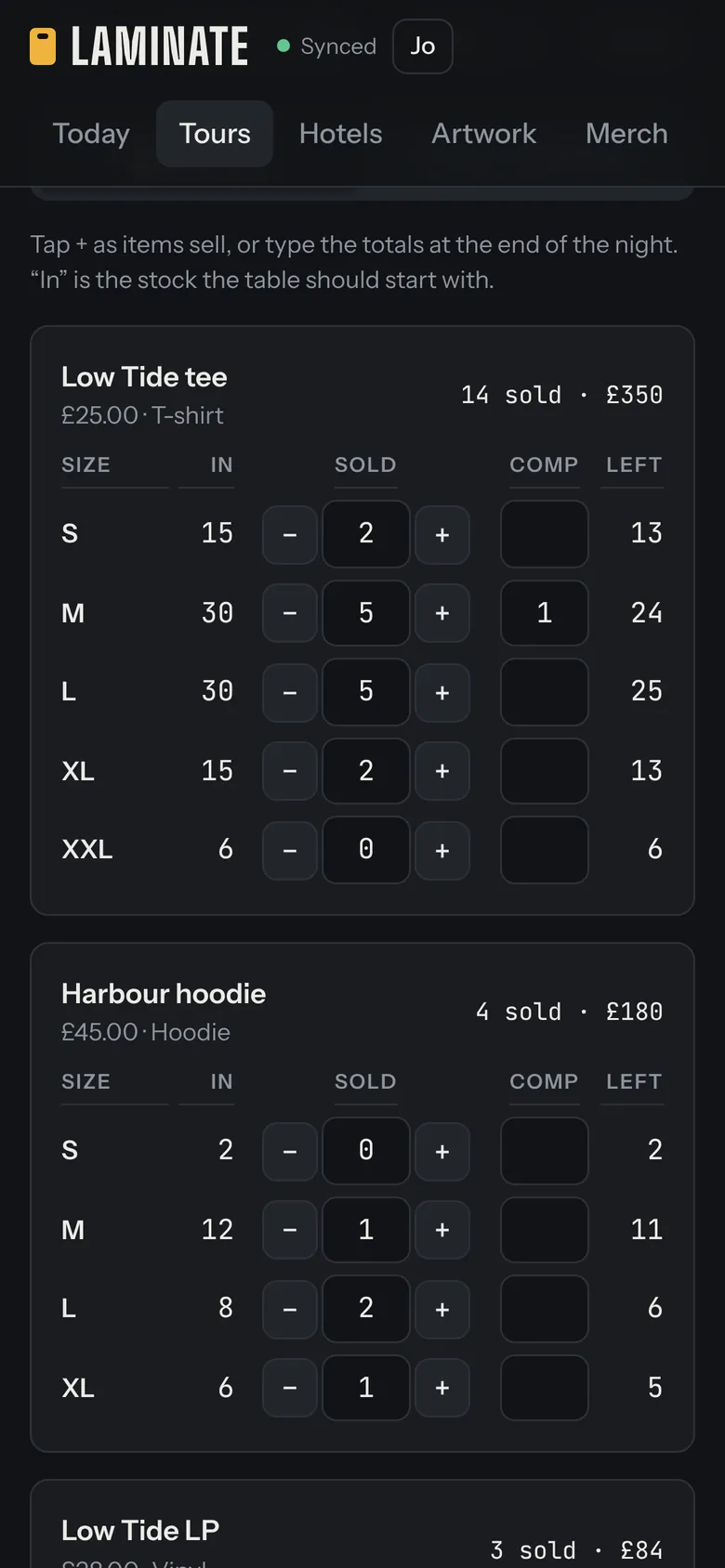
Stock by product and size
Set up each product, from T-shirts and hoodies to vinyl, CDs, tapes, totes and posters, with its price, sizes and starting stock. When a top-up arrives mid-tour, add the delivery with its date and Laminate counts it from that show on.
Sales every night, two ways
On the night, each size shows what should be on the table. Tap plus as items sell, or count what’s left at the end of the night and Laminate works out what sold. Record comps separately so the stock count still adds up.
The venue’s cut and the till
Many venues take a percentage of clothing but not music. Enter the venue’s cut on each and Laminate shows the takings before and after it. Enter what’s in the till, cash and card, and it tells you whether it matches the sales or how far it’s out.
Warnings before you sell out
The merch page shows every size across the tour: what you started with, what’s arrived, what’s sold and what’s left. Low sizes are flagged, and Laminate estimates from the sales so far which city you’re likely to run out in, while there’s still time to order more. Download the stock sheet as a spreadsheet whenever you need it.
A link for the venue’s merch seller
When the venue sells for you, send their seller a private link for that night. They record sales and the till count for that one show, with no account, and it goes straight into your figures. The link stops working after 24 hours, or sooner if you end it.
Into the tour P&L
One tap puts the night’s merch takings, after the venue’s cut, into the show’s financials, so the tour P&L includes merch without retyping anything.